Rental E-commerce: High-Conversion Checkout
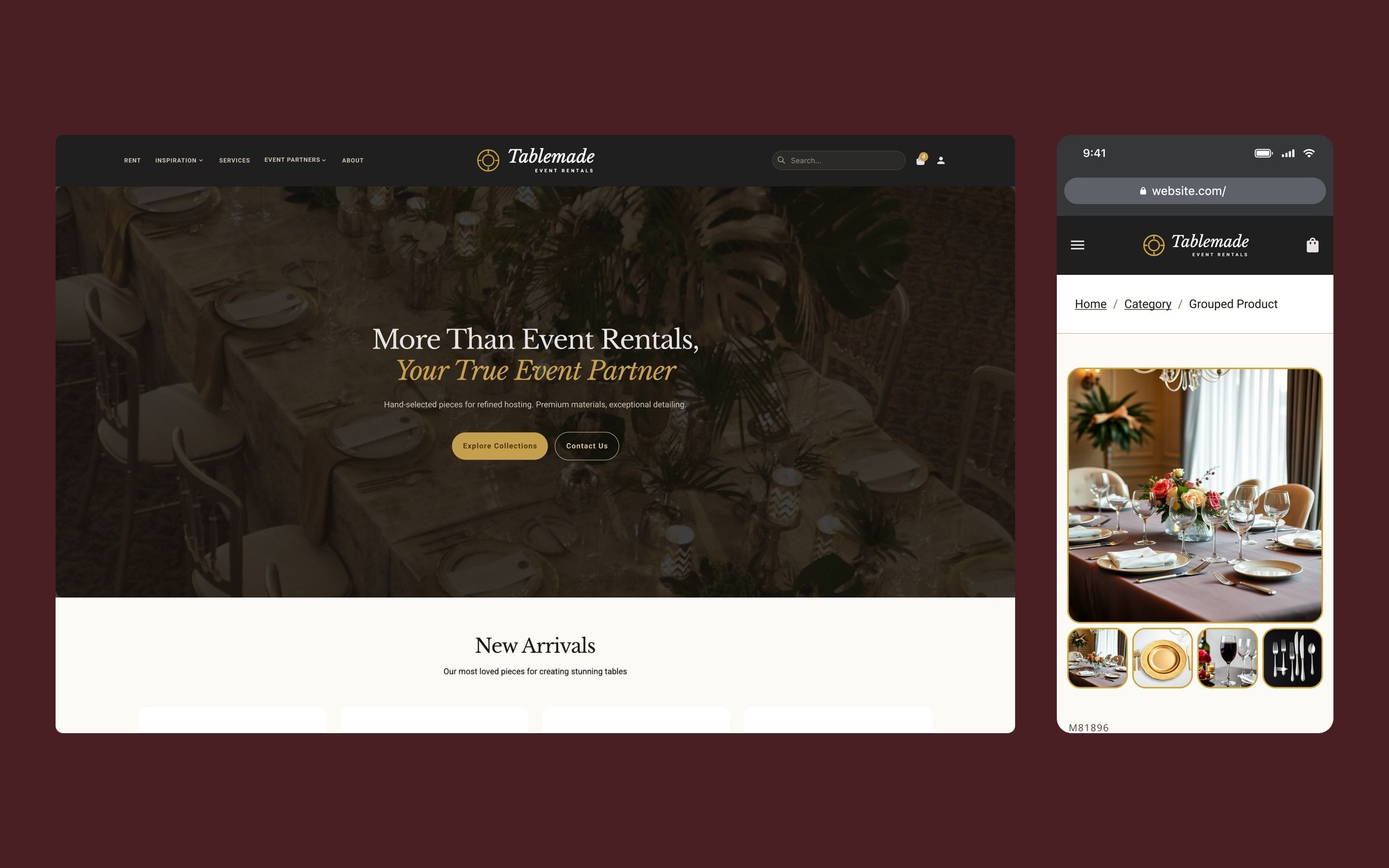
An event tableware rental store designed to be used like Amazon: find, combine and request a quote without going through the sales team, with ready-made bundles you can add in one go.
Context
A US company renting tableware, furniture and décor for events wanted to rebuild its website. It works with both individuals and professionals (planners, venues and brands), and many of its orders went through the sales team, piece by piece and quote by quote.
I worked on it with the Twelve Legs Marketing team, owning the UX/UI design of the whole store, on desktop and mobile, and its frontend development in WordPress with Breakdance. The project is confidential, so the brand shown in the images is fictional.
Challenge
The client’s goal was ambitious: move most of the shopping and quoting process online, so the team would spend less time on repetitive tasks and more on client relationships. Their reference was the Amazon shopping experience: find things fast, see clear prices and add them in a few steps.
The brief also listed the three objections they heard most: that it costs more than other options, that clients don’t know what they need or how it will look together, and the fear that something will go wrong on the day. The website had to answer all three without anyone picking up the phone.
Process
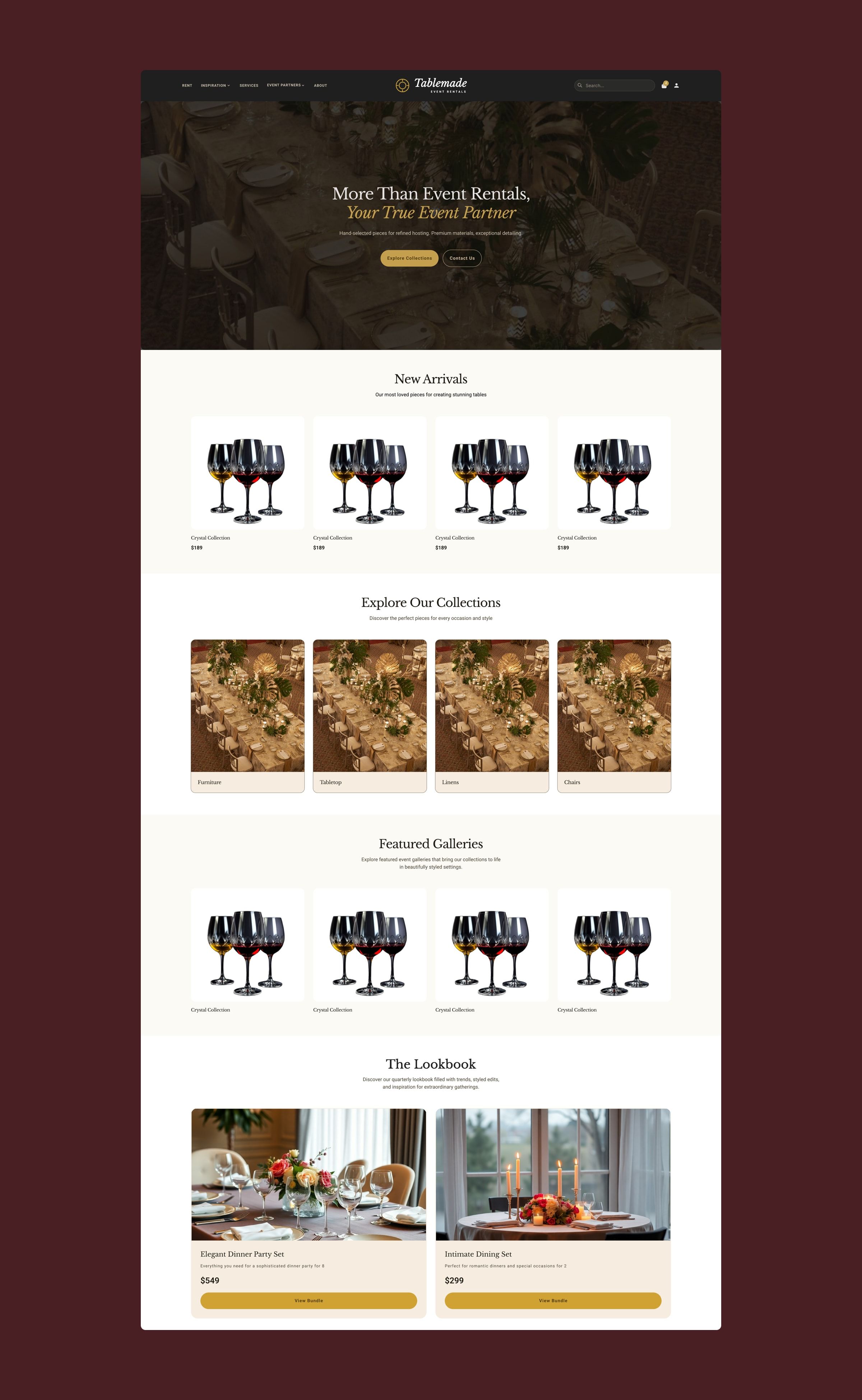
I organised the store around what set this client apart: two audiences with different needs, a catalogue of individual pieces that combine with each other, and the need to sell sets, not just products.
I designed the 16 desktop templates and their mobile version, from the home page and catalogue to the three product page types, the quote cart, checkout, gallery, blog and the locations, team and FAQ pages, plus the open states for the menu, filters and cart.
Solution
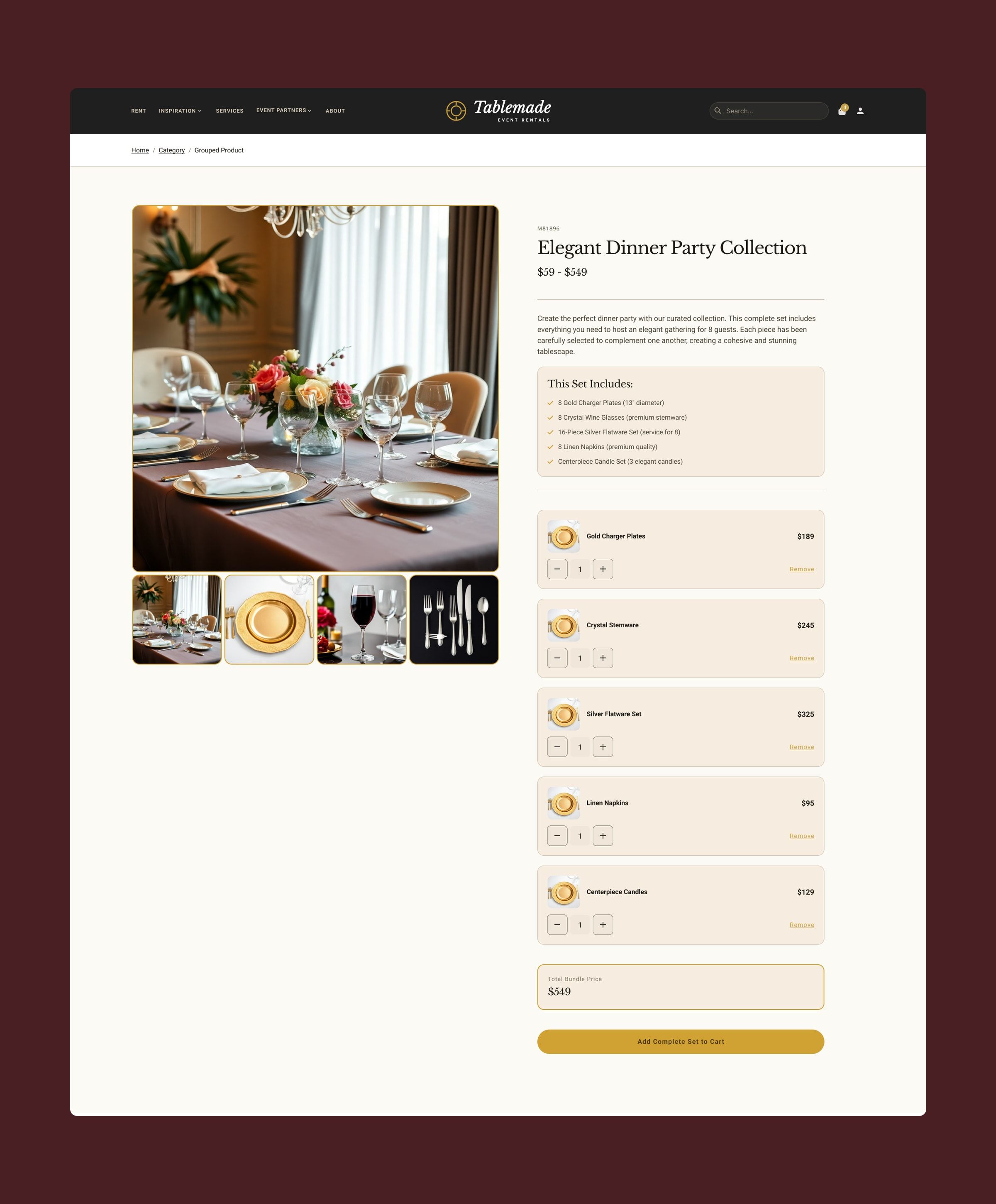
- Bundles to decide less. Against “I don’t know what I need or how it will look”, bundles group a complete table: what’s included, adjustable quantities for each piece and the total set price, with a single button to add it all.
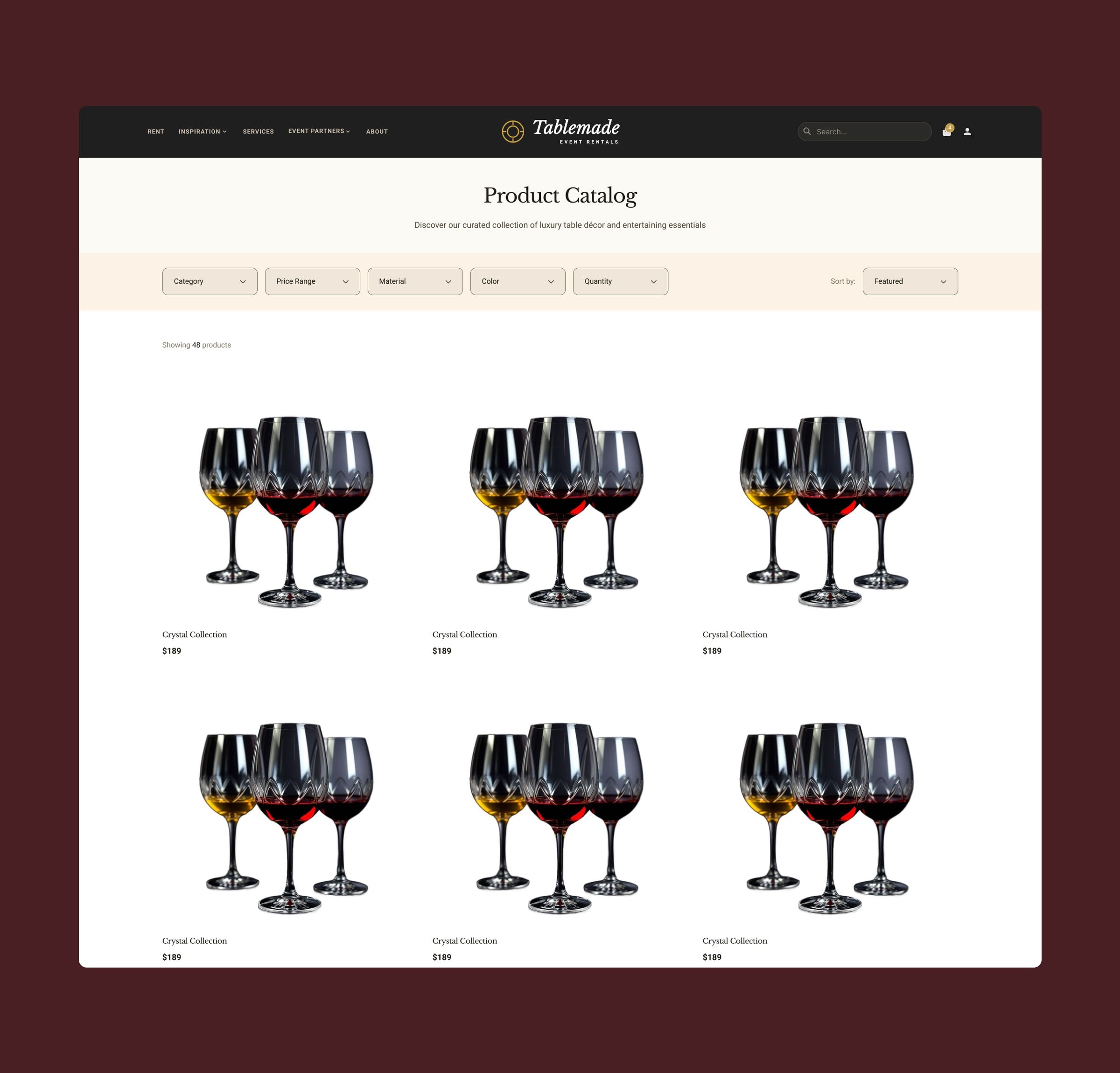
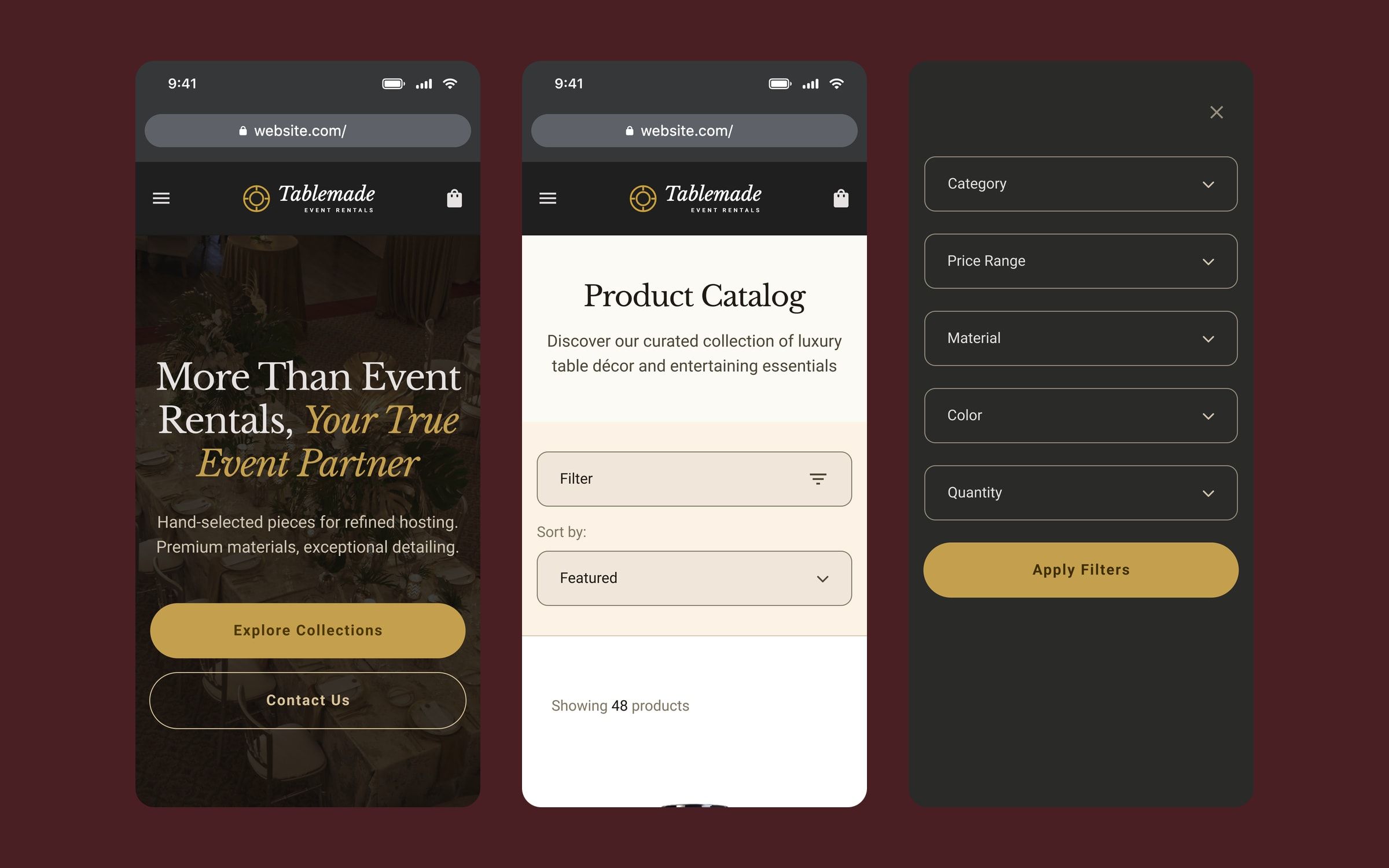
- A catalogue you can filter. Filters for category, price, material, colour and quantity, sorting, and the product count always in view.
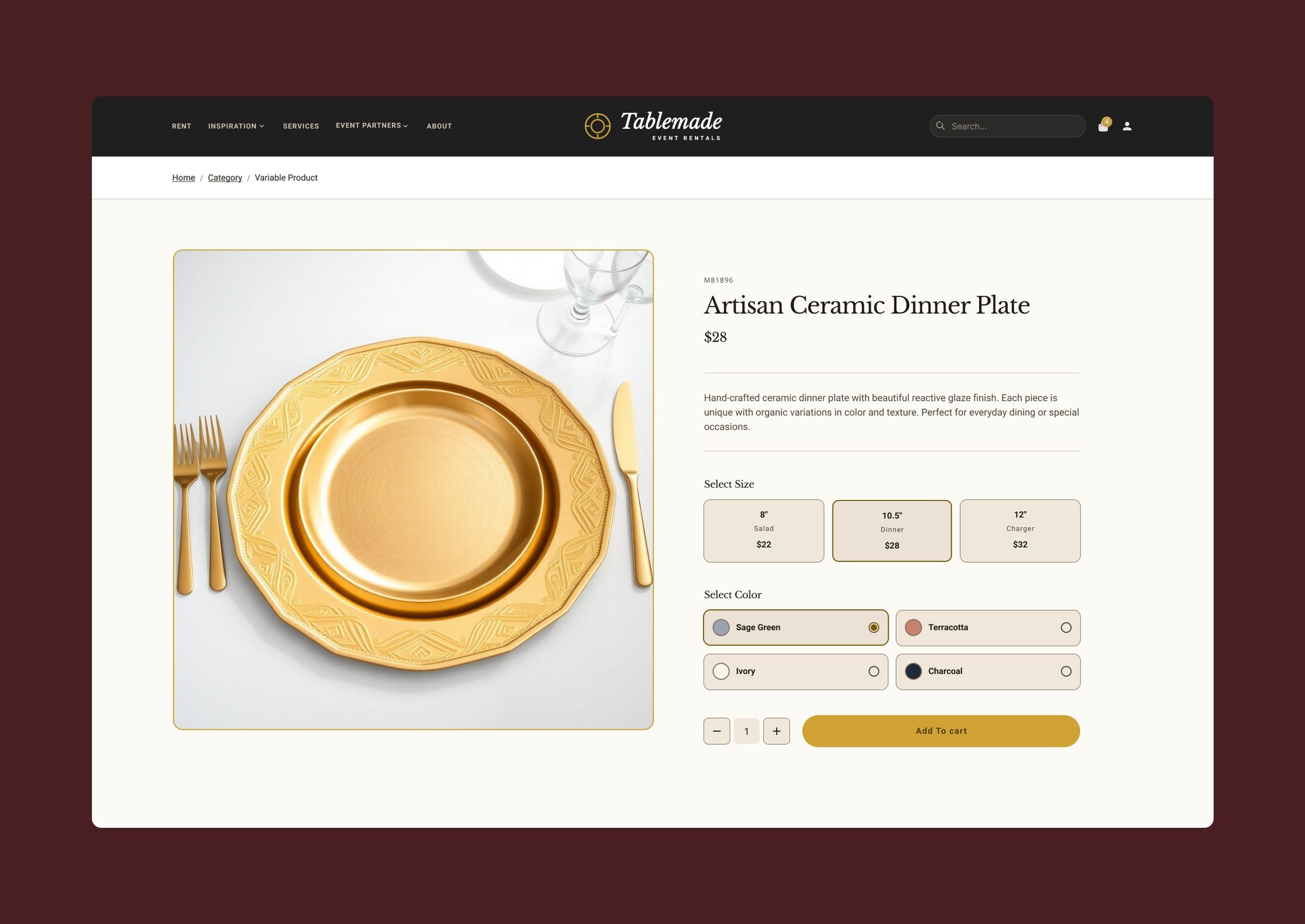
- Product pages with the price of each option. On products with variants, each size shows its price and colours are picked by swatch, with no need to add to cart to see the cost.
- Completing the table. Every product page ends with complementary pieces to keep building the order.
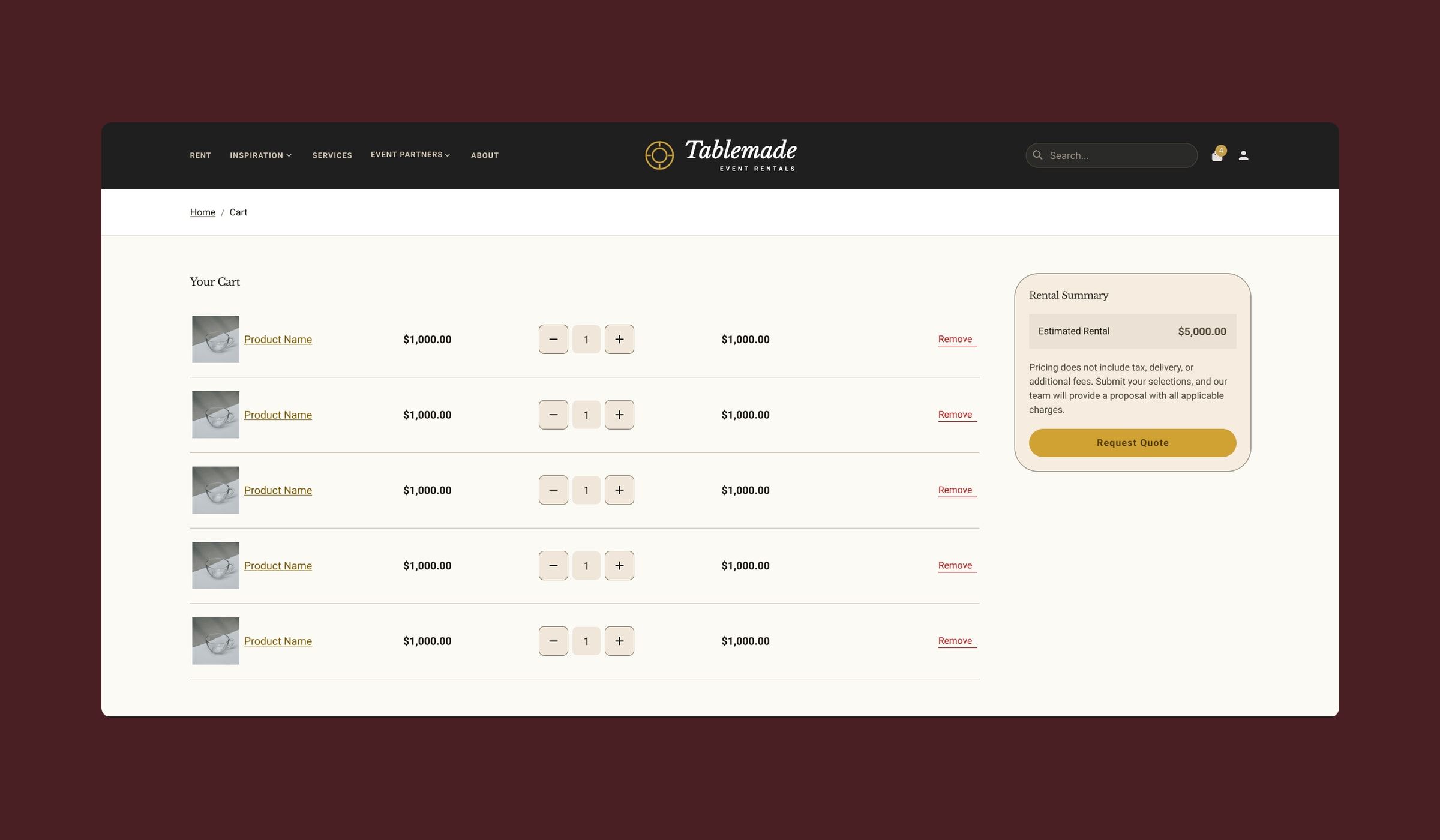
- From cart to quote. The cart adds up the estimated rental, explains that tax and delivery come in the final quote, and ends with “Request Quote”.
Mobile version
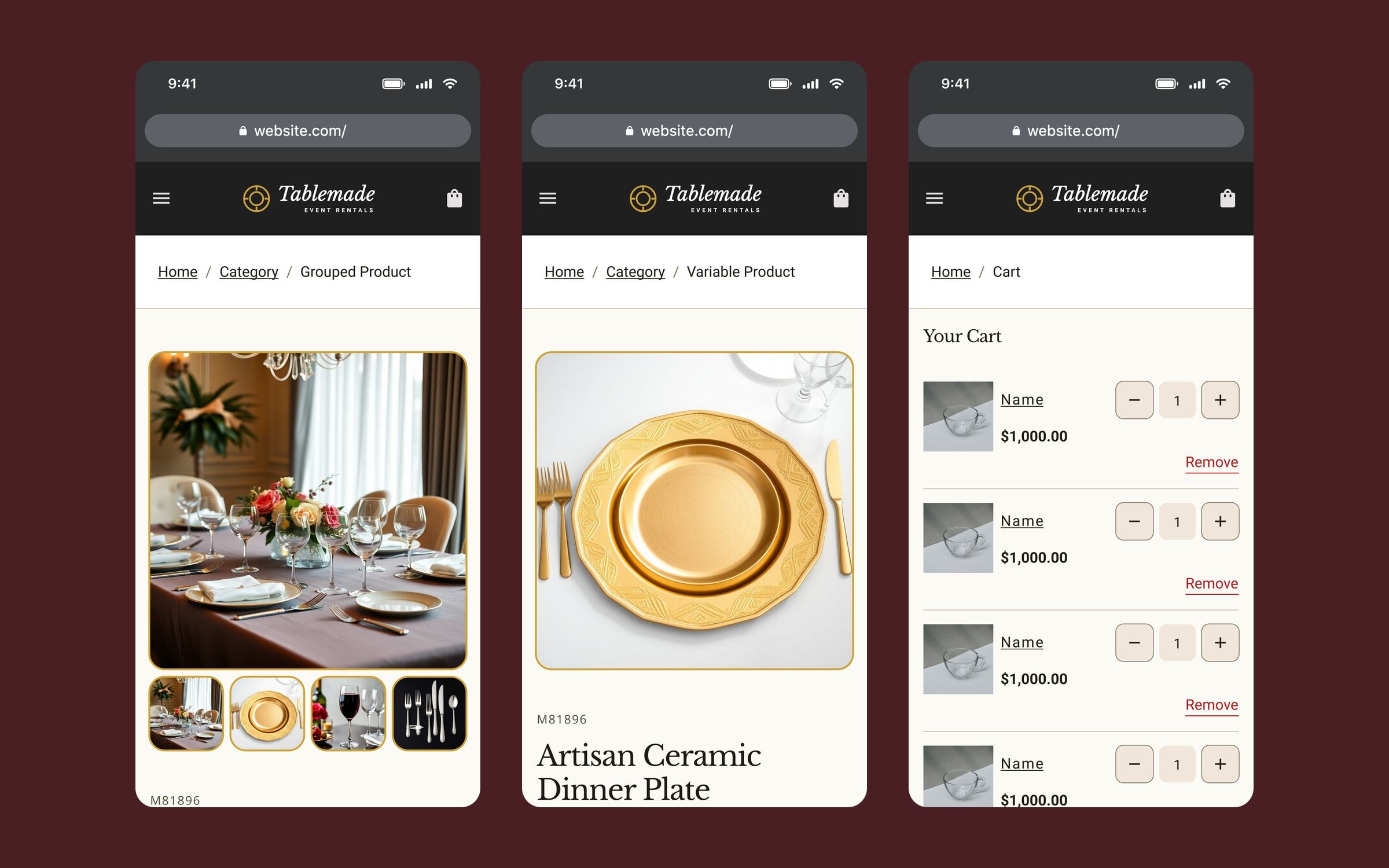
On mobile, filters move to a full-screen panel, bundles lead with the gallery and what’s included, and the cart keeps the rental summary and the step to the quote at the end of the list.
Outcome
The store design is complete on desktop and mobile, and development in WordPress with Breakdance is under way. The structure is built so most orders can be resolved without going through the sales team.